Bite By Night is an impressive project. It looks great for the Roblox engine, controls feel great, and the experience feels a cut above the average on the platform. It’s also a little more complex than some of the asyms on Roblox. So, we thought we’d put together this complete guide on how to play Bite By Night so you can get the most out of it.
How To Play Bite By Night
We’ve broken this all up into sections.
The Basics
Bite By Night is a asymmetrical horror game. This means, that it’s multiplayer, with a mix of PVP and Co-op. More specifically, one player per round is picked as The Killer, and their job is to eliminate the rest of the players, who play as Survivors. The Survivors must work together to escape The Killer and complete objectives.
So, for these reasons, this guide will be broadly divided into sections on Killer gameplay, and Survivor gameplay, to keep things simple.
Controls
First thing’s first, controlling your character. We’ll cover both control schemes here.
Survivor Controls
These are the keybinds you’ll need to know for Survivor rounds.
- Movement – WASD
- Sprint – Shift (Consumes Stamina)
- Crouch – C
- Interact – E
- Flashlight – F (Use sparingly!)
- Barricade – F (Against a door.)
- Skills – E-Q
Killer Controls
While you’re driving the Killer, you’ll need these.
- Movement – WASD
- Sprint – Shift (Consumes Stamina)
- Interact – E
- Skills – E/Q
Survivor Rounds
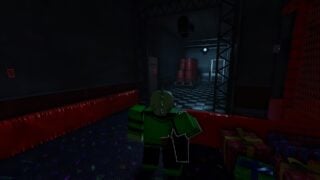
The majority of rounds of Bite By Night you’ll play will be Survivor Rounds.
Survivor Classes
Survivors are divided into several different classes. Each has different skills, mostly to act as a certain role in the Survivor team. We have a Survivors class guide on the site that goes into this in more detail, and a class tier list that ranks them, but we’ll run over each very briefly below.
- Customer – The default class. This class’ skills give you a self-heal, and a temporary speed boost. Both are designed to help keep you alive.
- Fighter – A class designed to fight the Killers head on and stun them for short periods. They can parry attacks, and swing on the animatronic with a fire axe. Bought for 600 Scrap.
- Medic – The support class. They can heal other Survivors, and themselves. Bought for 400 Scrap.
- Security Guard – Tech guy. Can track the Killer and objectives via a tablet attached to the CCTV system, and stun the Killer with a taser.
Survivor Gameplay
Playing as a Survivor comes down to two things.
- Complete Objectives – Find batteries, power up fuse boxes, activate generators.
- Escape the Killer – Avoid the Killer and stay alive until the end of the round.
You do this by running, hiding, and leveraging your class skills to keep the Killer from taking everyone on the team out before the night ends. As a Survivor, your strength lies in numbers. You can’t take the Killer down, but you can work together to make wiping out the group as difficult as possible by having some Survivors keep the Killer busy whilst other work on the objectives.
Batteries And Generators
There are two objectives for survivors so far, with more on the way.
Batteries
For Batteries, you need to pick up a battery item and carry it through the map, to a highlighted power box, and install it into the box… all without getting caught. There are generally multiple batteries scattered around each map. You cannot run while carrying a battery pack, so grabbing one while the killer is nearby is pretty ill-advised.
Generators
To activate generators, you need to find a generator, resembling a low grey box with cables trailing from it, and interact with it. Powering it up requires doing three short minigames multiple times to fill each green section on the bar over the generator.
- Connect the wires from left to right, matching the colours.
- Turn all the switches on the left to the ‘On’ position.
- Pull the handle on the right repeatedly until the green bar fills up.
You may need to repeat this several times… and ideally you won’t have an animatronic trying to kill you while you do.
Barricading
If you’re in a tricky situation, or trying to buy some time for your teammates, Survivors have a little trick up their sleeve. This is called Barricading. You can do this be interacting with a door. You will hold the door shut. If the Killer wants to try to break through, the both of your need to take part in an opposing minigame. As a survivor, you must try and keep your cursor inside the circle as long as possible. As the Killer tries to get in, the minigame will become tougher and tougher. You will lose eventually, and when the Killer breaks the door in, your Survivor will be flung by the force. If you’ve managed to last several rounds though, the stun delivered by the fling will be a lot shorter, and you should have a chance to flee before the animatronic gets its revenge.
Escape
When 6:00am rolls around, it’s time to escape. The exit will open, and will be highlighted green on your HUD. You need to hurry for the exit and make it there without the Killer getting you. If you make it, then you survived the round, congratulations! If the Killer gets you on the way out… well… hopefully you saved a few teammates, at least.
Killer Rounds
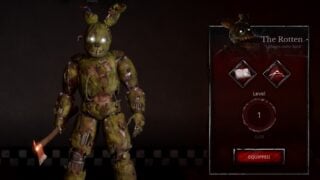
Assuming you’re playing normally, occasionally you will be rotated in to take the role of the Killer. This is unless you select the option to Disable Killer in the Settings, this will mean you aren’t in the potential selection to play the Killer. Perfect if you want to practice Survivor skills… or just don’t want the pressure.
Killer Types
There are currently three killers in Bite By Night. For a more in-depth look, we do have a Bite By Night Killers guide, and a Killers tier list.
- The Rotten (aka Springtrap) – Available by default. The infamous yellow bunny suit and its slightly-decayed inhabitant. A solid all-rounder with a scream that can debuff Survivors.
- The Project (aka Mimic) – Bought with scrap. A skinless exoskeleton that can switch mode types to get boosts to certain stats. Able to tunnel into the floor to pop out unexpectedly. Bought for 4500 Scraps.
- The Doppelganger (aka Ennard) – Bought with scrap. A clown-like animatronic that can disguise itself as other Survivors that it’s already taken out. Amogus. Bought for 6000 Scraps.
Killer Gameplay
The object of a Killer in a round is broadly simpler than Survivors. You have one objective. That’s take out every Survivor before the sun rises. You win if they’ve all bitten the dust before anyone clears the exit doors. The Survivors outnumber you considerably, but you are unkillable, and number stronger than they are, so it’s all down to being able to seek all of them out.
Scrap
Scrap is a currency earned through completing rounds. You will get Scrap regardless of whether you win or lose, but the more you can accomplish in a round, the more scrap you’ll end up with. Once you have Scrap, you can use it for new Survivor classes, new Killers, emotes, and Killer Skins. You can only spend Scrap in the Lobby. If you want to spend time shopping without the time crunch of getting flung into the next match, you can select the ‘AFK Mode’ feature in the Settings menu, and it won’t cycle you in on matches until it’s deselected, so you can take your time looking at the stock on offer.
Skins
Skins are a cosmetic choice currently only available for Killers. You can purchase them in the Shop in the lobby. They give no gameplay advantages, just a different look, so we wouldn’t recommend that you spend any money on these until you’ve managed to unlock all the Killers and Survivor classes. (It’s not THAT hard to buy everything if you’re playing matches frequently, so it shouldn’t be too long before you move onto skins. At the end, they’re just for flexing purposes… which is fair enough.
Emotes
If you see players dancing around in the lobby… or mid-match… those are Emotes. You can buy them from The Shop using Scraps. There are Survivor-specific, and Killer-specific emotes, with more available for Survivors right now… probably because your average Roblox avatar model is a little simpler to work with. Emotes don’t have any in-game usage… aside from possibly aggravating the Killer player when they look round to see their prey dancing around on one of the pizzeria tables ten feet away. That has to be a blow to your confidence.
That’s all we’ve got to say on the game for the moment. We hope you’ve found this guide on how to play Bite By Night useful.